Waze QR Code Generator
This simple tool allows event organizers to instantly generate a QR Code linked to a Waze navigation route. By sharing this QR Code with your participants—on invitations, emails, signage, or briefing documents—you ensure smooth, stress-free arrivals and reduce confusion on the way to your event.
How to obtain your Waze link from the Live Map
To generate a Waze QR Code, you first need to retrieve the navigation link corresponding to your destination. Here is how to do it using the Waze Live Map:
Steps
-
-
Open the Waze Live Map in your browser:
https://www.waze.com/live-map -
In the Route panel, click “Choose a destination”.
-
Search for your location or click directly on the map to set your destination.
-
Once the route appears, click “Share”.
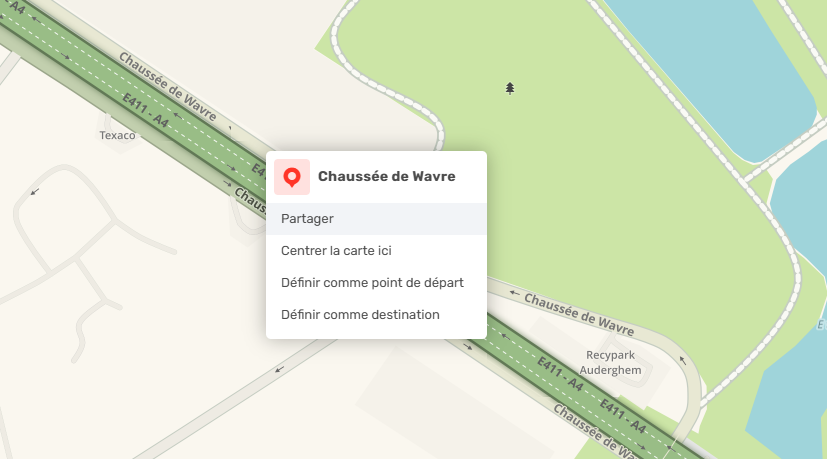
-
In the “Share and embed” window, copy the proposed link (format:
https://ul.waze.com/...).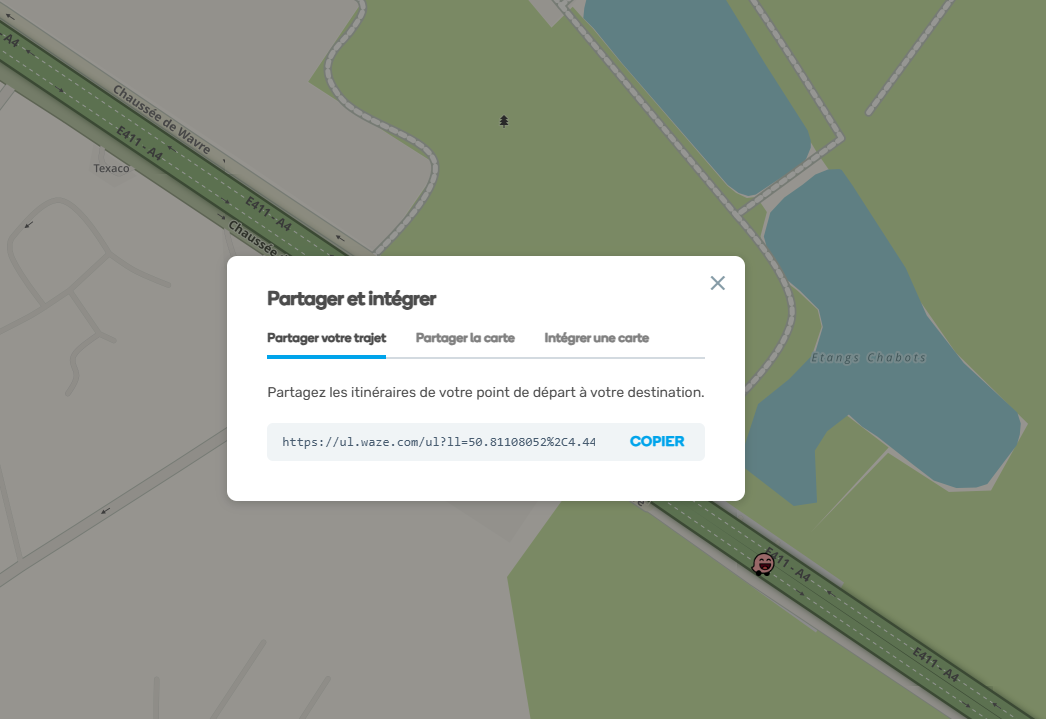
-
Paste this link into the “Waze Link” field of the QR Code generator above, customize the button text, and generate a ready-to-use QR Code for clear and efficient event communication.
-
Tip for events
For optimal arrival management, we recommend creating a separate QR Code for each important destination:
-
Guest parking
-
VIP parking
-
Drop-off point
-
Guest entrance
-
Supplier or staff access
This allows each group to navigate directly to the correct access point and helps reduce navigation errors around the event venue.
Important note:
To save the entire visual (including the button and layout), please take a screenshot:
-
Windows:
Windows + Shift + S -
Mac:
Command (⌘) + Shift + 4
Right-clicking on the image will only save the QR Code itself, without the surrounding design.